
Gaming RGB Lights: LED Strips, Light Bars & Smart Lighting
Showing all 16 results
-

Cordless table lamp,portable led desk lamp with 7 colors rgb mode,5200mah battery operated,3 color stepless dimming up for restaurant bedroombarsoutdoor party coffee shop night light
-

Corner floor lamp,rgb color changing mood light with remote control, dimmable led corner lamp with music sync, modern floor lamp for living room gaming room
Price range: £90.90 through £95.90 🛒 This product has multiple variants. The options may be chosen on the product page -

E27 rgb led bulb (1 pack) – color-changing smart light with remote, energy-saving ambient globe lamp (plastic & aluminum housing)
-

Glide wall lights, rgbic led lights, smart gaming lights rgb light bar, led wall lights for bedroom
Price range: £117.90 through £137.90 🛒 This product has multiple variants. The options may be chosen on the product page -

Hand-touchable lightning novelty light,bluetooth music tesla coil, touchable artificial lightning spark gap arc generator, wireless transmission experiment model
Price range: £67.90 through £79.90 🛒 This product has multiple variants. The options may be chosen on the product page -

Hexagon light panels,music sync rgb hexagon led lights gaming lights with app & remote control for home decor gaming
Price range: £63.90 through £90.90 🛒 This product has multiple variants. The options may be chosen on the product page -

Led corner floor lamp with diy shape, rgb color changing light with wi-fi app control, corner lamps for living room video room
-

Led neon rope lights,flexible led rope lights,ip65 outdoor rgb neon lights waterproof,music sync gaming led neon strip lights for bedroom indoor led light
Price range: £66.90 through £128.90 🛒 This product has multiple variants. The options may be chosen on the product page -

Music sync rgbic led strip lights – color changing led lights for bedroom & indoor decor
Price range: £31.90 through £49.90 🛒 This product has multiple variants. The options may be chosen on the product page -

Northern lights aurora projector lamp rgb water ripple galaxy night light, usb decorative ambient light for bedroom & parties
-

Rgb led wall sconce with remote and app control, rgb glide wall light bar for gaming tv bedroom streaming
-

Rgb ocean wave projector table lamp, usb rechargeable cordless night light with remote control, dimmable touch desk lamp for bedroom, living room, kids room
Price range: £60.90 through £117.90 🛒 This product has multiple variants. The options may be chosen on the product page -

Rgb strip light remote,wall mount strip light in room for home living kitchen room and party
-

Rgbic bluetooth neon rope light with music sync, diy flexible led strip for gaming room and bedroom decor — 2m/3m/5m
Price range: £32.90 through £51.90 🛒 This product has multiple variants. The options may be chosen on the product page -

Rgbic neon led rope lights with remote, app & voice control – flexible, ip65 waterproof for indoor & outdoor decor
Price range: £59.90 through £78.90 🛒 This product has multiple variants. The options may be chosen on the product page -

Triangle wall led panels lights,triangle lights,led light panels,smart rgbic gaming lights for gaming setup, music sync for gaming room
Price range: £59.90 through £120.90 🛒 This product has multiple variants. The options may be chosen on the product page
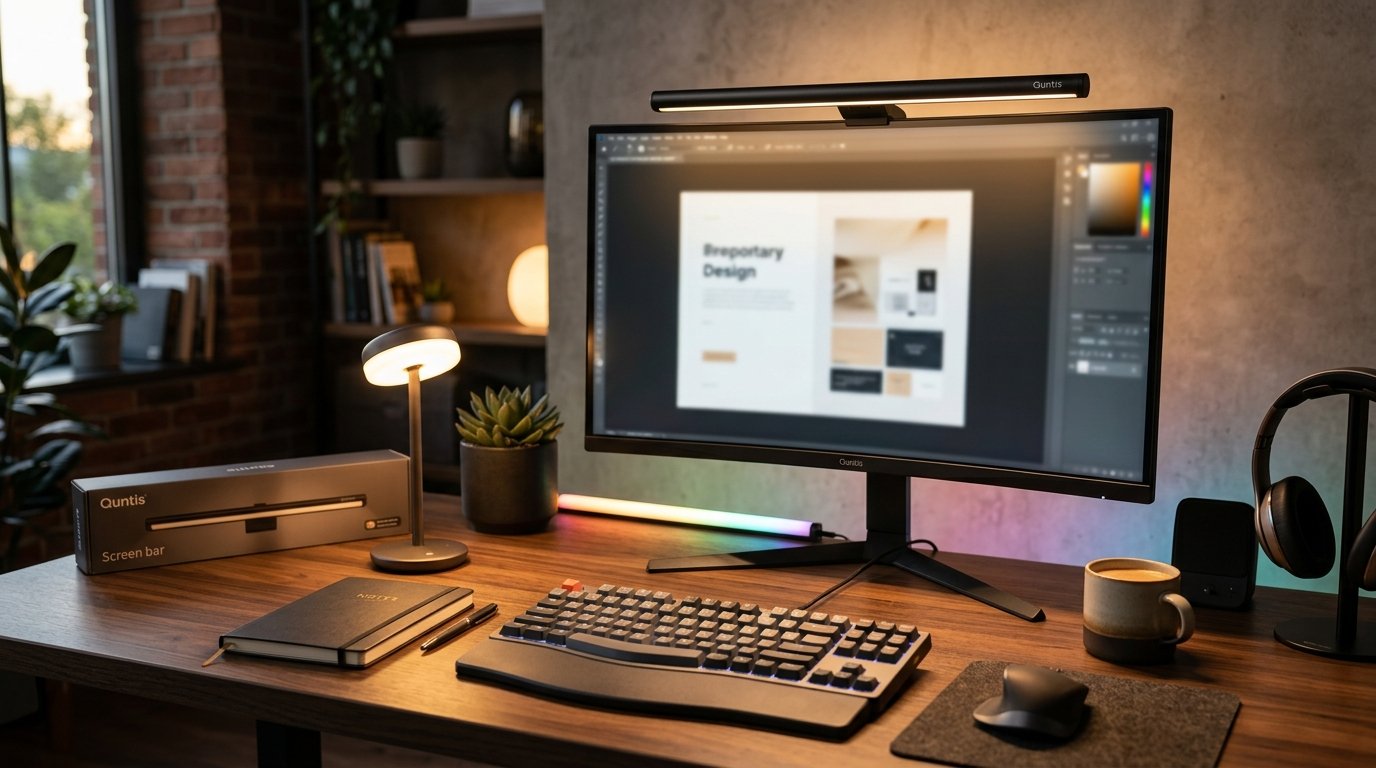
Gaming RGB light bars for a battlestation backdrop
A light bar mounted behind two monitors does one job well: it kills the dark void between screens that causes eye strain during long sessions. Most units in this category run on USB power (5V, roughly 500mA per bar), so a single spare port on your PC or a powered hub covers two bars without needing a wall adapter. Razer popularized this format with its Chroma RGB software stack in 2017, and most third-party bars now piggyback on the same open API, which is why a €25 no-name bar can still sync color with a Razer keyboard.
Placement matters more than people expect. Angle the bars to bounce light off the wall rather than pointing them straight at your face — direct line of sight into an RGB diode at full brightness is genuinely uncomfortable after twenty minutes.
RGB neon rope lights for shelf and desk edging
Rope lights use a silicone sleeve over an addressable LED strip (commonly WS2812B or SK6812 chips), which is what lets each segment show a different color instead of the whole strip changing at once. That’s the difference between a €15 static strip and a €40 addressable one — check the box for “individually addressable” before buying if you want chase effects rather than a single solid color.
For desk edging, 5 meters is the practical ceiling on a single run before voltage drop starts dimming the far end noticeably. If your setup runs longer than that, look for a strip with a secondary power injection point rather than daisy-chaining two full reels off one controller.
Glide light panels for wall layouts
Panels differ from strips in one meaningful way: touch sensitivity. Most glide panels register a tap and trigger a color or animation change on contact, which strips can’t do. Nanoleaf built its entire product line around this in 2017 and still holds the patent-adjacent design most budget panel brands copy today. If you’re covering a full wall, budget panels at roughly €12–18 each — a 9-panel starter layout lands around €130–160 before controller and mounting hardware.
How music sync actually works on these lights
Sync modes rely on either a built-in microphone in the controller box or, on higher-end units, a direct audio line-in that reads the signal before it hits speakers. Mic-based sync reacts to whatever the room’s ambient sound is, which means a fan running nearby can throw off the beat detection — line-in sync is more reliable for anyone gaming with headphones on and expecting the lights to still react to game audio. Response lag on decent units sits around 40–80ms, tight enough that the pulse still reads as “in time” during a bass-heavy track.
Smart RGB lights and app-based control
App control removes the physical remote from the equation and adds scheduling, scene presets, and in some cases voice control through Alexa or Google Home. Govee added Matter support across its lighting lineup in late 2023, which means newer Govee units can now sit on the same smart home hub as non-Govee devices instead of needing their own app exclusively. If cross-brand control matters to you, check for a Matter or HomeKit badge on the box rather than assuming any “smart” label covers it.
RGB alarm clocks for a gaming room nightstand
These combine a wake light — a gradual brightness ramp over 15–30 minutes before the alarm sounds, which is gentler on sleep cycles than a sudden buzzer — with the same color-cycling effects as the rest of the collection. Most run color sync as a secondary feature and the alarm/wake function as the primary one, so if ambient color matters more to you than the clock function, a standard smart light with a clock display will usually serve better.
Choosing between these formats
- Behind-monitor accent: light bars, USB-powered, no wiring beyond one cable
- Shelf, desk, or case edging: neon rope, addressable strips for multi-color chase effects
- Full wall coverage: glide panels, touch-reactive, higher upfront cost per square foot
- Whole-room ambient control: smart lights with app scheduling and Matter/HomeKit support
Installation across the range is adhesive-mount or app-paired, and none of it requires an electrician — the most complex step is usually running a USB cable neatly behind a desk. Browse the full range below to match the format to your space and setup.